


This guide describes how to set shipping costs when selling on our marketplace.
To define shipping costs specific to your store :
Go to your Seller’s Area > Settings > Delivery tab
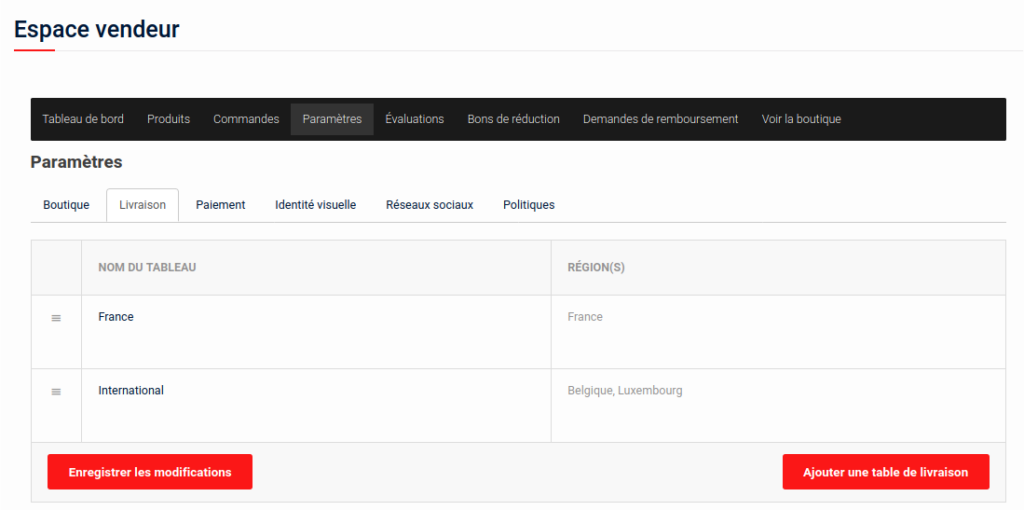
You can now create “tables” of shipping costs. A table is characterized by a name, one or more countries and the rules associated with these countries to define the shipping costs for a basket.
By default, delivery charges are configured as follows:
Delivery in France, depending on basket total :
- From 0 to 20 euros: 3 euros delivery
- From 20 to 50 euros: 5 euros delivery
- Over 50 euros: 10 euros delivery charge
Delivery in Belgium and Luxembourg, depending on basket total :
- From 0 to 20 euros: 5 euros delivery
- From 20 to 50 euros: 8 euros delivery
- Over 50 euros: 20 euros delivery
If you don’t want to use this setting, you can define your own shipping costs.
To create a new shipping table, use the “Add a shipping table” link in the bottom right-hand corner.
You can then enter a name for this table and the country or countries concerned.
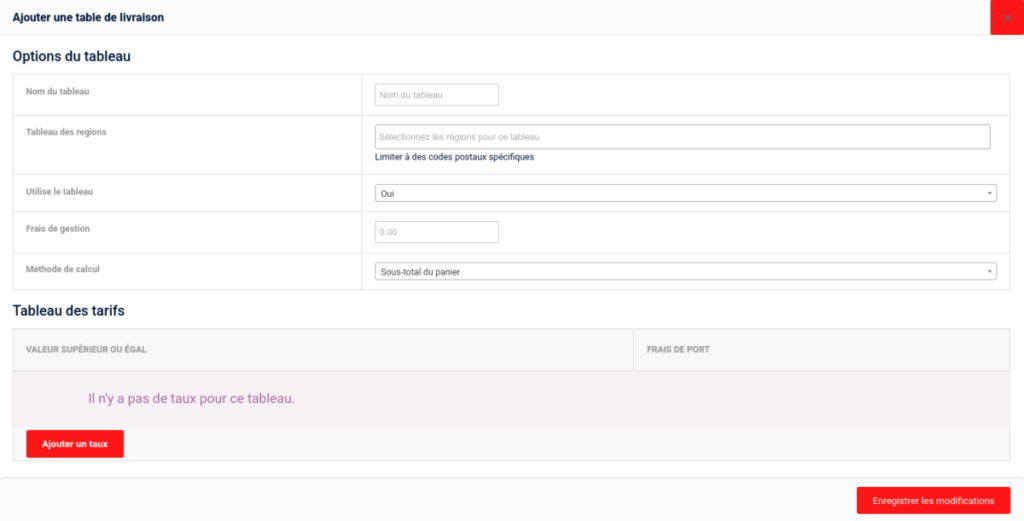
You can also specify the various table parameters:
- If active
- Management fees added to the item price
- The calculation method

- Basket subtotal: Charges will be based on the range in which the order subtotal falls.
- Number of items : Charges will depend on the number of items purchased by the customer
- Total weight: Charges will be based on the cumulative weight of all items.
Once you’ve selected the calculation type, you need to add the different levels. To do this, click on “Add a rate”.
A line appears in which to enter the lower limit in euros, in numbers or in kilos, depending on the calculation method chosen. Then choose whether delivery charges are calculated by value or percentage.
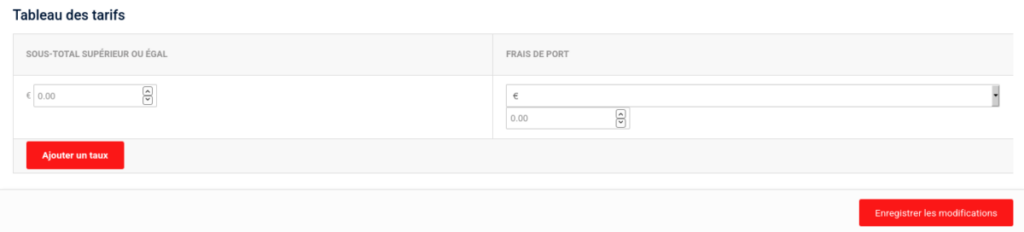
If, for example, you wish to define the following rules :
- From 0 to 25 euros: 5 euros delivery charge
- From 25 to 50 euros: 12 euros
- 50 to 100 euros: 15 euros
- Over 100 euros: 19.90 euros
You will then need to define the charges as follows:
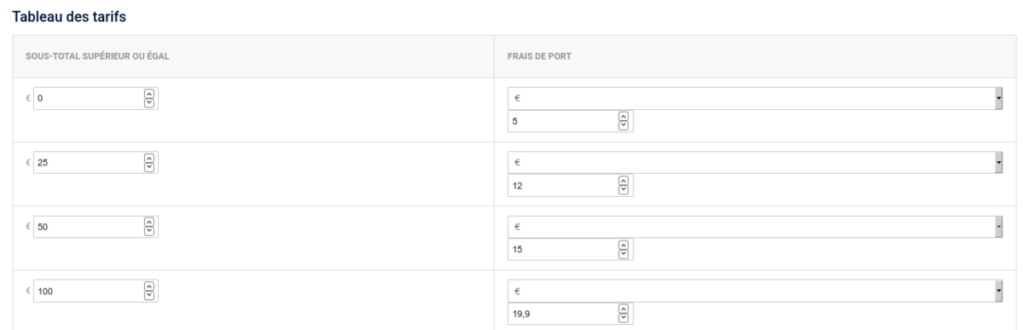
You then save the changes so that the rules you have defined apply to your sales.
Warning: If there is no line with the value 0 for the first boundary, shipping costs are considered zero up to the first boundary defined.
For example, if you have defined the first bracket as: “5 euros shipping cost above 10 euros subtotal”, this means that from 0 to 10 euros of basket, shipping costs are zero!